


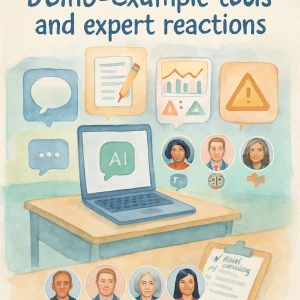
This topic walks you through a short, practical demo of several types of educational AI tools you might see in classrooms or products for young people. For each tool we’ll:
- show a quick “hands-on” walkthrough you can try,
- highlight strengths and practical uses,
- call out gaps and red flags to watch for,
- offer synthesized expert reactions from different vantage points (educator, child psychologist, privacy lawyer, ethicist, youth advocate),
- and give safe testing tips so you can evaluate tools without putting learners at risk.
Remember: these are generic example tools (not endorsements of specific vendors). The goal is to build your ability to assess tools against responsible-AI-for-learner-health principles.
Tool 1 — AI tutoring chatbot (text-based homework & wellbeing questions)
Overview
- A chat assistant embedded in an LMS or app that answers questions about schoolwork and, sometimes, personal topics (e.g., "What is puberty like?" or "I feel anxious about a test").
- Uses large language models (LLMs) to generate conversational answers and step-by-step explanations.
Quick demo steps (try safely)
- Open the chat interface. Ask a simple subject question: “Explain photosynthesis in plain language.”
- Ask for study help: “Help me make a 30‑minute study plan for algebra.”
- Try a sensitive question you might see from students: “Is it normal to feel nervous about my body changing?” (Use hypothetical or sample language — don’t involve a real child.)
- Ask it to cite sources or show confidence levels: “Where did that information come from?” or “How confident are you in that answer?”
Strengths
- Scales access to immediate, low-cost academic help.
- Can provide step-by-step scaffolding and examples.
- When designed well, can include tone controls for age-appropriateness.
Gaps & red flags
- Hallucinations: confident-sounding but incorrect facts or invented citations.
- Lack of consistent age-appropriate framing for sexual health / sensitive topics.
- No clear human escalation path for disclosures of risk (self-harm, abuse).
- Personalization without consent or unclear data retention policies.
Expert reactions (synthesized)
- Educator: “Great for differentiated practice and homework help — but I’d never replace teacher judgment. Need moderation and curriculum alignment.”
- Child psychologist: “If kids ask about mental health or sexual development, the bot must recognize risk language and prompt a human response. Otherwise it can do harm.”
- Privacy lawyer: “Check data collection: Are chats logged? Who can access them? Is parental consent required for minors?”
- Ethicist: “Transparency is key — the bot should disclose limits, uncertainty, and invite human help for sensitive issues.”
- Youth advocate: “Adolescents want privacy but also clarity about what will happen if they disclose something worrying. Tell them upfront.”
Safe testing checklist
- Verify whether the bot flags or routes disclosures (self-harm, abuse, sexual exploitation).
- Test for misinformation and hallucinations on curriculum topics.
- Confirm retention, access, and deletion policies for chat logs.
- Check language sensitivity and cultural competency (does it understand slang, dialects?).
Tool 2 — Adaptive lesson generator (lesson plans & activities)
Overview
- An AI tool that generates lesson plans, worksheets and quizzes tailored to a grade level or learning objective. Some versions adapt content for reading level, languages, or accessibility needs.
Quick demo steps
- Request: “Generate a 30-minute lesson plan on consent for Grade 8.”
- Ask for variations: “Now make it inclusive of LGBTQ+ students” or “Simplify for lower reading levels.”
- Inspect the output: learning goals, activities, discussion prompts, and any suggested readings or videos.
Strengths
- Saves teacher prep time and can provide differentiated materials quickly.
- Can suggest inclusive language and accommodations when prompted explicitly.
- A good starting point for teachers who need ideas.
Gaps & red flags
- Generic or stereotype-laden content (e.g., assumptions about family structure or gender roles).
- Missing citations or alignment with local standards and cultural contexts.
- May propose activities that aren’t age-appropriate or lack safeguarding safeguards for sensitive topics.
Expert reactions (synthesized)
- Educator: “A great scaffolding tool — but I review and adapt everything. It can miss local curriculum nuances and cultural relevance.”
- Child psychologist: “For topics like sexuality or body image, activities should include consent scripts and safe boundaries — AI doesn’t always include necessary scaffolding.”
- Youth advocate: “Ask whether materials are affirming for diverse learners. Don’t assume inclusivity unless clearly present.”
- Policy maker: “Ensure materials comply with jurisdictional requirements for sex-ed and privacy policies if student data is used.”
Safe testing checklist
- Ask the tool to explain its pedagogical choices (why a particular activity?).
- Check for stereotyping or exclusion in examples and names.
- Ensure activities include clear facilitation notes and safeguarding steps for sensitive discussions.
Tool 3 — Conversational simulation for sexuality education (role-play bot)
Overview
- A simulated conversation partner for practicing difficult conversations (e.g., saying “no” to unwanted touch, negotiating boundaries, safe dating). Often aimed at older adolescents.
Quick demo steps
- Launch a simulation: choose a scenario like “practice saying no to pressure.”
- Run a short role-play and observe the bot’s language, respect for consent, and suggestions.
- Try edge cases: the bot responds aggressively, or uses slang. Does it escalate to safety prompts if boundary language fails?
Strengths
- Low-stakes practice for communication skills.
- Can model empathetic language and prompt reflection.
- Scalable and repeatable across learners.
Gaps & red flags
- May normalize unsafe responses or fail to model de-escalation.
- Could inadvertently provide advice about illegal activities or explicit sexual content.
- Poor moderation could lead to triggering or retraumatizing dialogue.
Expert reactions (synthesized)
- Sex-ed specialist: “Role-play is powerful if the scenarios are evidence-based and include reflection prompts. You must pair simulations with human debrief.”
- Trauma-informed practitioner: “Simulations need trauma-aware design; include opt-out, trigger warnings, and easy ways to pause.”
- Ethicist: “Ensure the bot never provides medical/legal advice — instead, give safe referrals and encourage talking to trusted adults.”
Safe testing checklist
- Confirm content filters and age-appropriate guardrails.
- Verify that the simulation includes exit buttons, resources and human escalation paths.
- Run content through a trauma-informed lens: are warnings present? Is consent modeled in the interaction?
Tool 4 — SEL (social-emotional learning) sentiment/dashboard tool
Overview
- Aggregates student text (journals, reflections, message boards) to produce class-level dashboards: mood trends, stress indicators, or engagement metrics. Often uses sentiment analysis or emotion-detection models.
Quick demo steps
- Feed the tool anonymized sample reflections (or synthetic examples) and view the dashboard.
- Watch how it categorizes emotions and flags students for possible intervention.
- Check how granular the reporting is — class-level trends vs. named student alerts.
Strengths
- Can reveal trends teachers might miss (rising anxiety before exams).
- Supports early, preventive wellbeing interventions at a group level.
- Helpful for tailoring classroom SEL strategies.
Gaps & red flags
- Emotion-detection models are brittle across dialects, cultural expressions and sarcasm.
- Risk of false positives (labeling normal behavior as “distress”) and false negatives.
- Privacy concerns if the tool logs identifiable student comments or notifies third parties.
- Can create surveillance-like environments leading to trust erosion.
Expert reactions (synthesized)
- School counselor: “Useful for spotting trends, but anyone flagged should have a human assessment. Never act on the dashboard alone.”
- AI researcher: “Sentiment models often perform worse for non-standard English and minority groups — that leads to inequitable outcomes.”
- Privacy lawyer: “Define clear policies on who sees dashboards, data retention, and opt-out for students and families.”
Safe testing checklist
- Test with language variations (slang, code-switching, emojis) to see performance differences.
- Ensure opt-in/consent and clarity on who can view alerts.
- Verify human-in-the-loop processes for any flagged concerns.
Tool 5 — Predictive risk analytics (early warning for mental health or drop-out)
Overview
- Uses multiple data sources (attendance, grades, behavior logs, communication patterns) to identify students at higher risk of mental health crises, disengagement, or dropout.
Quick demo steps
- Use synthetic or fully anonymized datasets to run a risk-model demo.
- Examine which features drive risk scores (attendance, grade dips, referral notes).
- Look for explanations: does the model provide reasons for the score? Can you interrogate and contest them?
Strengths
- Can enable early supports and resource allocation to students who need help.
- Useful at population scale to target systemic interventions.
Gaps & red flags
- Risk of labeling and stigmatizing students; scores can follow and entrench bias.
- Models trained on historical disciplinary data may replicate punitive practices.
- Lack of transparency about model logic, and poor mechanisms for students/families to contest decisions.
Expert reactions (synthesized)
- Policy maker: “Promising for resource planning, but must be constrained by ethical frameworks and strong governance.”
- Data scientist: “Explanations are essential — black boxes make it impossible to validate fairness.”
- Youth advocate: “Students should have a voice in how their data is used and be able to opt out of surveillance systems.”
Safe testing checklist
- Require model explainability: which features drive high-risk flags?
- Audit for bias across race, language, disability and socioeconomic status.
- Establish strict limits on actions tied to scores (no automated discipline or exclusion).
Tool 6 — Automated content moderation & image filters (student uploads)
Overview
- Tools that scan text, images or videos students upload (assignments, profiles) and flag or censor content: nudity, violence, hate speech, self-harm imagery.
Quick demo steps
- Upload a range of sample images/text (synthetic and non-explicit for safety) to see what’s flagged.
- Test edge cases: educational images about body anatomy, artistic expression, cultural dress.
- Observe whether flags are reversible and what explanations are provided.
Strengths
- Protects students from exposure to harmful content.
- Helps enforce community guidelines at scale.
Gaps & red flags
- Overblocking legitimate educational content (e.g., anatomy charts).
- Cultural and contextual blindness — flags can disproportionately affect certain groups.
- Lack of appeal process for wrongly-moderated content.
Expert reactions (synthesized)
- Librarian/educator: “Overzealous filters can harm learning. Moderation systems should allow teacher review and appeals.”
- Civil liberties advocate: “Transparency about moderation rules and error rates is critical.”
- Accessibility specialist: “Ensure moderation doesn’t block accessibility supports (e.g., alt text) or misinterpret assistive-device outputs.”
Safe testing checklist
- Test the moderation tool on educational content that resembles flagged items (e.g., anatomy diagrams).
- Check for human review workflows and fast appeals.
- Confirm logs and rationale for moderation decisions are accessible to educators.
Cross-tool red flags to always watch for
- No clear human-in-the-loop: automated decisions without an easy pathway to human review.
- Weak or missing safeguarding for disclosures of harm — no escalation protocol.
- Lack of age-appropriate or culturally responsive content.
- Data collection and retention unclear, or third-party sharing by default.
- No ability to audit or explain model decisions; black box behavior.
- Commercial targeting inside educational tools (ads, upsells, profiling).
Quick evaluation rubric (use this as a live checklist)
For any demo, answer these questions:
- Purpose & Fit: Does the tool align with my curriculum and learner needs?
- Transparency: Does the tool explain its capabilities, limits and data use clearly?
- Safety: Are there protocols for disclosures, abuse, or mental-health risks?
- Fairness: Has the vendor tested for bias across diverse learners?
- Privacy & Consent: What data is collected, who sees it, how long is it stored? Is parental/learner consent required?
- Human Oversight: Are all risk flags routed to humans; can humans override decisions?
- Accessibility & Inclusion: Does it support diverse languages, reading levels and disabilities?
- Local Compliance: Does it meet local policy requirements for health/sex education, data protection?
- Evidence of Effectiveness: Are there independent evaluations or peer-reviewed studies?
Score each as Yes / Partial / No and note action items.
Small hands-on activity (20–40 minutes)
Pick one demo tool type above. Using either a vendor demo or a safe sandbox environment (or synthetic data), run the following mini-evaluation:
- Do a 10-minute demo run with three different prompts or inputs representing diverse learners (age, language style).
- Use the rubric to score the tool on three criteria: Safety, Transparency, and Fairness.
- Write a 300–400 word reflection:
- What surprised you?
- Which red flags were most concerning?
- What immediate fixes would you require before piloting in your classroom/setting?
Bring your reflection to the next lesson discussion or upload it to the LMS for peer feedback.
How to document findings & next steps
- Keep a demo log: vendor name, date, inputs used, screenshots, rubric scores, notes on escalation paths.
- Ask vendors for demo mode using synthetic data or opt-in pilot groups (avoid testing with real student data).
- If moving to pilot: draft an explicit safeguarding plan (human review, parental notice, opt-outs), and predefine evaluation metrics and review intervals.
- Share summaries with school leadership, counselors, and families — invite feedback from students, too.
If you’d like, I can:
- generate a downloadable checklist/template you can use in the LMS,
- create sample prompts to test specific safety scenarios,
- or draft a short parent/family notice template for piloting an AI tool.
Which would be most useful for your next step?
