


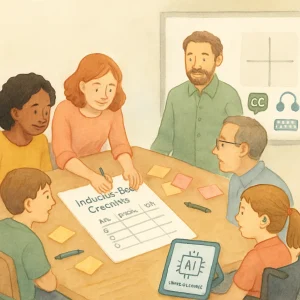
A hands‑on checklist activity to evaluate a tool or lesson for inclusivity, accessibility and youth participation.
This activity helps educators, designers and policy makers systematically check whether a learning tool or lesson is inclusive, accessible and genuinely centered on young people’s participation and well‑being — especially when the tool uses or interacts with AI.
Why this activity?
You can’t fix what you don’t measure. This quick, practical checklist gives teams (and young people) a shared language for spotting problems, prioritizing fixes, and documenting decisions. Use it with a prototype, an existing product, or a lesson plan.
Learning objectives
- Assess a tool or lesson across inclusion, accessibility, and youth participation criteria.
- Identify concrete, prioritized changes to improve safety and fairness.
- Practice doing evaluations in partnership with young people.
Time, group size & materials
- Time: 45–90 minutes (depends on depth)
- Quick scan: 30–45 minutes
- Full co‑design review with youth: 60–90 minutes
- Group size: 2–6 people per review group (include 1–2 young people when possible)
- Materials: checklist printouts or digital copy, the tool or lesson materials, sticky notes, whiteboard or shared doc, device to demo the tool
Before you start
- Pick the deliverable to review (lesson plan, app, prototype, chatbot script).
- Gather relevant artifacts: privacy policy, learning outcomes, screenshots, data flow diagrams, transcripts.
- Invite at least one young person representative (age-appropriate, paid/honored for their time where possible) to join the review or run the activity with a youth co‑design session.
How to run the activity (step‑by‑step)
- Quick orientation (5–10 min)
- Explain purpose and process. Set a positive, non‑blaming tone: we’re evaluating, not policing.
- Individual scan (10–20 min)
- Each participant (including youth) uses the checklist to score the tool privately and write comments.
- Small group discussion (20–30 min)
- Compare scores, note agreements/disagreements. Capture evidence and examples.
- Prioritization (10–15 min)
- Use a simple priority matrix (High/Low effort × High/Low impact) to choose 2–4 immediate actions.
- Action planning (10–15 min)
- Assign owners, timelines, and next steps. Document where youth input is required for the fix.
- Optional deeper testing
- If serious issues show up, schedule follow-up co‑design or usability testing with a more diverse group of young people.
The Inclusive Design Checklist
For each item mark: Yes / Partial / No — and add notes/evidence + suggested fix.
Section A — Representation & Relevance
- A1. Learning goals and content reflect diverse identities (race, gender, sexuality, ability, socioeconomic background). Why it matters: content that assumes a single “norm” excludes many learners.
- A2. Examples and imagery include young people like those in your audience. (Not tokenistic.) Why it matters: representation builds belonging.
- A3. Content avoids stereotypes and pathologizing language. Why it matters: language shapes mindsets.
Section B — Accessibility (WCAG mindset)
- B1. Text content follows plain language best practices for the target age. Why it matters: comprehension is core to inclusion.
- B2. Visuals have alt text or accessible descriptions. Why it matters: users with visual impairments need content alternatives.
- B3. Videos include captions and transcripts. Why it matters: supports D/deaf learners and those who prefer reading.
- B4. Interactive elements are keyboard‑navigable and screen‑reader friendly. Why it matters: ensures usable for many disability profiles.
- B5. Color contrast and font sizes meet readable standards; no information conveyed by color alone. Why it matters: visual accessibility.
- B6. Adjustable pacing and multiple ways to engage with content (text, audio, visuals, practice). Why it matters: supports neurodiversity and different learning styles.
Section C — Language, Comprehension & Cultural Sensitivity
- C1. Reading level matches the intended age group. Why it matters: prevents confusion and disengagement.
- C2. Content is localized (not just translated). Examples and idioms make sense locally. Why it matters: cultural relevance matters.
- C3. Terms around sex, gender, and relationships are inclusive, accurate and age‑appropriate. Why it matters: supports healthy, respectful learning.
Section D — Youth Participation & Agency
- D1. Young people were consulted or co‑designed this tool/lesson. Why it matters: increases relevance and trust.
- D2. The design gives learners meaningful choices (topics, pace, privacy options). Why it matters: promotes autonomy.
- D3. There are clear mechanisms for learners to provide feedback and see changes. Why it matters: sustains continuous improvement.
- D4. Consent and assent for data collection are designed for young audiences (clear, layered, age‑appropriate). Why it matters: ethical and legal obligations.
Section E — Safety, Emotional Well‑Being & Safeguarding
- E1. The tool includes safe exits and on‑ramps to human support when needed. Why it matters: prevents harm escalation.
- E2. Content is trauma‑informed and avoids retraumatization triggers; trigger warnings are used thoughtfully. Why it matters: protects vulnerable learners.
- E3. Moderation and reporting processes are clear and youth‑friendly. Why it matters: enables safe participation.
- E4. For sexuality education: content promotes consent, respect and accurate information; avoids shaming. Why it matters: central to learner well‑being.
Section F — Power, Privacy & Data Practices (AI-relevant)
- F1. The tool discloses if and how AI is used, in plain language for young people and caregivers. Why it matters: transparency builds understanding and trust.
- F2. Data collection is minimized to what’s necessary; retention policies are clear. Why it matters: reduces privacy risk.
- F3. Opt‑out options are available and easy to use (for both accounts and data collection). Why it matters: respects autonomy.
- F4. Sensitive attributes (health, sexual orientation, gender identity) are not inferred or used without explicit, ethical justification and consent. Why it matters: avoids harm and unjust profiling.
- F5. There is human oversight for decisions that significantly affect learners (grading, disciplinary actions, personalized recommendations). Why it matters: algorithmic decisions should not replace human judgment.
- F6. Bias audit or fairness checks have been performed; known limitations are documented. Why it matters: reduces discriminatory outcomes.
Section G — Evaluation & Iteration
- G1. There is an evaluation plan that includes diverse youth voices (surveys, interviews, observations). Why it matters: measures real-world impact.
- G2. Version history and change rationale are documented (why changes were made). Why it matters: accountability and institutional memory.
- G3. There is a roadmap for addressing identified issues, with timelines and responsibilities. Why it matters: moves from audit to action.
Scoring & Interpretation (quick method)
- For each item: Yes = 2, Partial = 1, No = 0.
- Sum total and compute percent of maximum possible.
- 80–100%: Good baseline — still iterate with youth.
- 50–79%: Needs work — prioritize quick fixes and safety concerns.
- <50%: High risk — pause deployment until major issues are resolved.
Focus first on items that affect safety, privacy and rights (sections E and F) even if the overall score looks okay.
Prioritization and action planning (simple template)
After scoring, fill this:
- Issue: e.g., “No captions on videos”
- Priority: High / Medium / Low (consider legal/safety impact)
- Proposed fix: e.g., “Add captions and transcripts”
- Owner: name or role
- Timeline: due date
- Youth input needed?: Yes/No; how?
Pro tip: Use a quick 2×2 grid (Impact vs. Effort) to pick 2 high‑impact/low‑effort wins to do within one sprint.
Facilitation tips when working with young people
- Compensate or otherwise acknowledge youth contributions.
- Use plain language and give examples to explain checklist items.
- Make sessions short, interactive and safe (breakout groups, polls, anonymous feedback options).
- Be trauma‑informed: warn about sensitive topics and allow opt‑outs without pressure.
- Include diverse young people (different ages, abilities, languages, cultural backgrounds).
- If the tool handles sexual health or personal data, include safeguarding protocols and adult support on call.
Quick example (sample completed items — hypothetical AI tutoring app)
- A1 Representation: Partial — examples limited to urban school contexts. Fix: add rural scenarios.
- B3 Video captions: No — videos lack captions. Fix: add captions & transcripts (High priority).
- D1 Youth co‑design: No — no youth input. Fix: recruit teen advisory group (Medium/High).
- F1 AI disclosure: Partial — mentions “AI” in long T&Cs. Fix: add layered, plain‑language banner at sign-up explaining AI features (High).
- E1 Human support: Yes — live tutor escalation available. Note: great, ensure tutors are trained for sensitive subjects.
Total score: calculate to prioritize captioning, AI transparency, and youth advisory group as immediate actions.
Adaptations
- Remote review: use shared doc + screen share; collect anonymous input via forms.
- Large organizations: run parallel small groups, then synthesize common findings.
- Policy makers: use the checklist as a baseline for procurement requirements and require vendors to provide evidence (accessibility reports, bias audits, data minimization statements).
Closing notes
- This checklist is a living tool. Revisit it regularly and refine it with young people.
- Don’t treat “Yes” as perfect — document evidence and keep improving.
- For legal or complex data questions, consult your institution’s legal and safeguarding teams.
Ready-to-use checklist table (copyable)
| Item code | Item | Yes / Partial / No | Notes / Evidence | Suggested fix |
|—|—:|—:|—|—|
| A1 | Diverse representation in content | | | |
| A2 | Inclusive imagery/examples | | | |
| B1 | Plain language | | | |
| B2 | Alt text for images | | | |
| B3 | Captions/transcripts | | | |
| B4 | Keyboard/screen-reader friendly | | | |
| C1 | Reading level appropriate | | | |
| D1 | Youth consulted/co‑designed | | | |
| D2 | Learner choices available | | | |
| E1 | Human support/escalation | | | |
| E2 | Trauma‑informed content | | | |
| F1 | AI disclosure in plain language | | | |
| F4 | Sensitive inference avoided | | | |
| G1 | Evaluation plan with youth | | | |
Use this template to run your first review. Take notes, act on the high‑impact fixes, and then bring a more diverse group of young people back for round two. Small, consistent improvements make tech and lessons far safer and more inclusive for learners.
