

Accountability, governance and ethical tool development

Jukka 5.9.2025
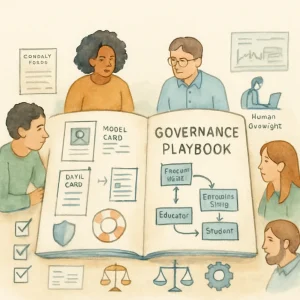
This topic digs into the practical stuff: how to make sure AI tools used with young people have clear ownership, real paths for redress when things go wrong, and incentives that push everyone — vendors, schools, designers, policymakers — toward safety, inclusion and well‑being.
Think of this as a playbook: definitions, roles, governance models, checklists, templates and hands‑on activities you can use right away.
Why this matters (short)
Young people are vulnerable in different ways than adults: developing identity, incomplete digital literacy, legal protections that vary by age and place. Without clear accountability and governance, problems such as privacy violations, harmful recommendations, biased guidance, or inappropriate sexual content can slip through — and it’s often unclear who fixes them, or how.
Good governance makes harms less likely, makes harms easier to detect, and ensures fast, fair redress when they happen.
Core concepts (plain language)
- Ownership: who is ultimately responsible for the tool’s behavior and outcomes (not just who built it).
- Redress: how someone affected by the tool can report problems and get a fair response.
- Aligned incentives: structures (contracts, policies, KPIs) that make safety and student well‑being part of success, not a box to check.
- Governance model: the organizational structure and rules that decide who makes what decisions and how.
Design practices that support accountability
- Documentation and transparency
- Model cards and data sheets: short, public documents describing intended use, limitations, training data sources, known risks.
- Versioned release notes that explain changes in behavior or data.
- Safety-by-design
- Age‑appropriate defaults (stricter privacy settings for younger users).
- Content filters with human review pathways.
- Human oversight and escalation paths
- Clear points where a human must approve or review automated decisions (e.g., health or safety flags).
- Privacy and data minimization
- Only collect what you need; store it the shortest time possible; map data flows.
- Inclusive testing
- Test with diverse groups of learners (different ages, cultures, languages, neurodiversity).
- Monitoring and logging
- Continuous monitoring for errors, bias, safety alerts; logs retained in a way that supports audits.
- Usability and consent design
- Consent materials that are age‑appropriate and useable by educators and guardians.
- Incident response baked into design
- Build in the means to remediate or rollback features quickly (feature flags, content removal).
Roles & responsibilities (practical roster)
Below are roles to consider. Smaller teams may combine roles; larger systems should separate them.
- Product Owner / Sponsor
- Ultimate responsibility for deployment decisions and risk acceptance.
- Technical Lead / Engineer
- Maintains models, logs, monitoring, rollbacks.
- Data Steward
- Manages provenance, consent records, retention and deletion.
- Safeguarding / Child Protection Lead
- Interprets safety incidents, coordinates support for affected learners.
- Legal / Compliance Officer
- Tracks regulatory obligations (e.g., data protection for minors).
- Educator or Curriculum Lead
- Ensures the tool fits learning goals and classroom norms.
- Student Representative / Youth Advisory Panel
- Offers lived-experience input on design and governance.
- Ethics or Safety Committee (internal or external)
- Reviews new deployments and high‑risk features.
- Vendor/Third‑party Liaison
- Manages contract compliance, SLAs, audits.
- Independent Auditor / External Reviewer
- Periodic review of outcomes, fairness, and safety.
Quick RACI idea (Responsible / Accountable / Consulted / Informed)
- Risk assessment: R = Product Owner, A = Ethics Committee, C = Educator, I = Students
- Incident response: R = Safeguarding Lead, A = Product Owner, C = Legal, I = School Admin
Governance models — options and tradeoffs
- Centralized governance (e.g., district or ministry level)
- Pros: consistent standards, economies of scale, centralized audits.
- Cons: may be slow, one-size-fits-all risk.
- Federated governance (school/region autonomy with common baseline)
- Pros: local flexibility with minimum standards.
- Cons: variability in capacity; requires coordination mechanisms.
- Distributed/co‑governance (schools + parents + youth + vendors)
- Pros: more democratic, context-aware.
- Cons: complex decision-making; needs facilitation.
- Independent oversight (external ethics board or certifier)
- Pros: impartial reviews, credibility.
- Cons: cost, need clear remit and authority.
- Hybrid: use a central standard, local implementation, and external audits for high‑risk tools.
Pick a model that matches capacity, scale and risk. High-risk tools (mental health, sexuality education, safety triage) should have stronger oversight and independent review.
Accountability mechanisms to deploy
- Pre-deployment requirements
- Algorithmic Impact Assessments (AIA) — include child-specific risks.
- Privacy Impact Assessments.
- Clear “intended use” and banned uses.
- Runtime oversight
- Real-time monitoring dashboards for safety signals.
- Logging that preserves evidence for audits and redress.
- Audits and testing
- Regular third‑party audits; bias and safety tests; penetration tests.
- Transparency
- Public summaries of audits and incident responses (appropriately redacted).
- KPIs and SLAs
- Safety KPIs (time to respond to complaints, false-positive/negative rates for safety filters).
- Contractual SLAs for incident response times and remediation actions.
- Certification and conformance
- Consider certifications or checklists aligned with local law and child protection standards.
Designing redress paths (a practical guide)
Good redress is fast, fair, and visible.
Key elements:
- Multiple reporting channels
- In‑tool “report” button, email, phone, educator hotline.
- Triage and priority rules
- Immediate triage for safety/harm; lower priority for usability bugs.
- Investigation workflow (example)
- Acknowledge within 24 hours.
- Triage and assign within 48 hours.
- Provide interim mitigation (disable feature, remove content) within 72 hours for safety-critical issues.
- Resolution and remediation plan within a defined SLA (e.g., 15 business days).
- Remedies
- Content removal, data deletion, human review, apology, curricular support, disciplinary action for vendor breach, financial remediation if required.
- Escalation and appeal
- Clear chain: Product team → Safeguarding Lead → Ethics Committee → External reviewer/ombudsperson.
- Recordkeeping and transparency
- Keep logs of complaints and outcomes; publish anonymized summaries periodically.
- Youth-appropriate communications
- Explain outcomes in age-appropriate language; involve guardians as required by law.
Example redress timeline:
- 0–24h: automated ack to reporter, temporary safety controls applied.
- 24–72h: investigation & human review.
- 72h–15d: implement remediation; communicate outcome and appeal rights.
Aligning incentives (so people actually do the right thing)
Design incentives into contracts, funding and KPIs:
- Procurement clauses
- Require model cards, AIA, right to audit, data deletion on termination, breach notification timelines.
- Payment linked to safety performance
- Withhold a portion of payment until safety benchmarks are met.
- Shared KPIs
- Track user well‑being outcomes, not just engagement. Reward vendors for low incident rates and fast remediation.
- Public reporting
- Schools or vendors that publish safety metrics can gain trust; transparency is an incentive.
- Training and capacity building
- Funding or certification tied to staff training in safeguarding and tool governance.
- Sanctions and remediation clauses
- Contractual penalties for breaches; mandatory remediation plans.
Practical checklist before deploying a tool in educational contexts
Use this quick checklist with your team:
- [ ] Owner identified, and governance model chosen.
- [ ] Model card & data sheet reviewed publicly.
- [ ] Child-specific AIA completed and approved.
- [ ] Data flows documented; parental/guardian consent approach defined.
- [ ] Human oversight & escalation points defined.
- [ ] Logging and monitoring set up for safety signals.
- [ ] Redress procedure documented and visible to users.
- [ ] Vendor contract includes audit rights, deletion obligations, and SLAs.
- [ ] Educator training materials and student guidance ready.
- [ ] Youth advisory consulted and feedback incorporated.
- [ ] Incident response tabletop scheduled.
Templates & snippets you can copy
RACI (short example)
- Risk assessment: Responsible = Product Owner; Accountable = Ethics Committee; Consulted = Educator; Informed = Parents/Guardians
Incident response flow (simple)
- Report received (via button/email/hotline)
- Automated ack sent
- Triage: safety vs non‑safety
- If safety: immediate mitigation (disable content/feature)
- Investigation assigned to Safeguarding Lead
- Remediation implemented
- Outcome communicated & logged
- If unresolved, escalate to Ethics Committee or external reviewer
Sample contract clause (short)
- Vendor shall provide a current Model Card and Algorithmic Impact Assessment prior to deployment, grant audit rights to the School/District, notify the School within 24 hours of any incident affecting student safety or data, and delete school-stored student data within 30 days of contract termination. Vendor agrees to remediate verified safety incidents within 15 business days.
Sample complaint form fields
- Name (optional/anonymous option)
- Age or grade of affected learner
- Date/time of incident
- Description (what happened)
- Screenshot or file upload (optional)
- Immediate harm? (yes/no)
- Preferred contact method
- Consent for school to share details with vendor/authorities (yes/no)
Hands‑on activities (use in workshops or PLCs)
- Role mapping + RACI
- 30–60 minutes. Map who in your organization (and vendor) will own each accountability task. Identify gaps and consolidate responsibilities.
- Rapid Algorithmic Impact Assessment (AIA)
- 90 minutes. Use a 1‑page AIA template: purpose, stakeholders, likelihood/severity of harms (privacy, physical safety, mental health), mitigation plan, decision (deploy/reject/pilot).
- Tabletop incident simulation
- 60 minutes. Simulate a safety incident (e.g., a chatbot giving sexually explicit advice to a minor). Walk through the redress flow from report to remediation, test communication templates, and time the response.
- Model card audit
- 45 minutes. Given a vendor model card, identify missing items, unclear claims, or risks. Produce a short decision memo.
Short case study: classroom chatbot for SEL (social‑emotional learning)
Scenario:
A district wants to pilot a chatbot that helps students practice expressing feelings and getting coping tips.
Governance steps applied:
- Pre‑deployment: Complete a child-focused AIA; restrict chatbot to scripted prompts for ages 7–11; define escalation when a student mentions self-harm.
- Roles: Product Owner = District EdTech lead; Safeguarding Lead = School counselor; Student Advisory consulted in script testing.
- Redress: In‑tool “report” button routes to Safeguarding Lead; immediate disable flag triggers human review.
- Contract: Vendor must provide model card, allow audits, and delete logs on request; SLA for safety incidents = 24h for acknowledgement, 72h for mitigation.
- Monitoring: Weekly review of chat logs by trained staff (with anonymization) and monthly youth feedback sessions.
Result: Pilot runs for 3 months with low incident rates; scripts revised based on student feedback and AIA records.
What to avoid (common pitfalls)
- Treating documentation as PR — make it usable and accurate.
- Only technical fixes — governance needs policy and people.
- One reporting channel that routes to a vendor support desk with no human safeguarding triage.
- Incentives that reward engagement only (pushes clickbait or sensational content).
- Assuming “consent” from minors is the same as for adults — check local law and involve guardians appropriately.
Quick resources (starting points)
- Model Cards for Model Reporting (Mitchell et al.)
- Datasheets for Datasets (Gebru et al.)
- OECD AI Principles
- UNESCO Recommendation on the Ethics of AI
- Local laws: GDPR (EU), COPPA (US), and any local child data protection rules — consult legal counsel for specifics.
(These are useful references; this topic isn’t legal advice. Check local law and legal counsel for compliance.)
If you’d like, I can:
- Create a one‑page AIA template tailored for school use.
- Draft a sample incident response script and messages for students/parents.
- Build a short workshop slide outline for the tabletop exercise.
Which of those would help you most right now?
