


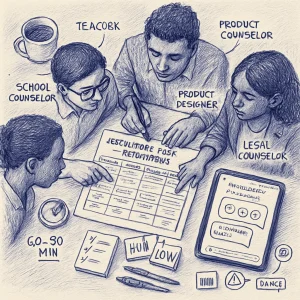
Goal: Run a guided mapping exercise to spot potential regulatory triggers for a hypothetical student-facing app and plan practical mitigations you can use in design, policy and procurement decisions.
Estimated time: 60–90 minutes (can be split across a working session)
Note: This exercise is educational and practical, not legal advice. Consult legal counsel and relevant regulators for compliance decisions.
1) Quick overview — why this matters
When an app used by learners dips into health, sexuality, mental health, or collects sensitive info, it can cross from “educational tool” into regulated health or child-data territory. That shift affects:
- What data you can collect and how (consent, parental notice)
- Whether the tool is a medical device or telehealth
- Mandatory reporting obligations
- Accessibility and equity obligations
- Contracts with vendors and data processors
This activity helps teams surface those triggers early so you can adjust scope, add mitigations, or escalate for legal review.
2) The sample app: "BrightPath"
Use this scenario for the mapping. You can substitute your own app.
Short description
- BrightPath is a tablet/mobile app used in secondary schools (ages 12–18).
- Purpose: support social-emotional learning (SEL) and student well‑being through personalized check-ins, journaling prompts, short lessons, and links to school counselors.
- Key features:
- Daily wellbeing check-in (mood + brief symptom questions)
- AI-driven personalized tips for coping (text + short animations)
- Anonymous peer discussion board for coping strategies
- On-demand Q&A chatbot answering questions about stress, sexuality, relationships
- Optional “seek help” button that connects a student to the school counselor (in-app messaging request)
- Basic analytics dashboard for teachers: class summary of engagement (aggregated)
- Parent portal with opt-in weekly summary for under-13s
Data collected
- Identifiers (name, student ID, age, email)
- Mood tags and free-text journal entries
- Chatbot transcripts and prompts
- Usage logs (timestamps, module completion)
- Aggregated class-level metrics
Deployment context
- District contracts with vendor; teachers onboard students; suggested use in class and at home.
3) Regulatory domains to check (short list)
When mapping risk, consider these domains (varies by country/state):
- Child data protection (e.g., COPPA in the U.S., age of digital consent in EU)
- Student privacy in education (e.g., FERPA in the U.S.)
- Health data protection (e.g., HIPAA in the U.S.) and sensitive data categories
- Medical device / clinical decision support regulation (e.g., FDA, EU MDR)
- Telehealth / practice-of-medicine rules
- Mandatory reporting (child abuse, self‑harm risk)
- Content moderation / safety requirements
- Accessibility and antidiscrimination
- Consumer protection / advertising to minors
- Local laws on sexual education content and parental rights
4) Mapping exercise — step-by-step
Step 0 — Prep
- Gather a small cross-functional team: ed lead, mental‑health lead (or counselor), product designer, privacy/legal counsel (or their checklist), IT/security, and a teacher or student representative.
- Print/copy the template below or use a spreadsheet.
Step 1 — Break the app into features
- List each feature that interacts with students or collects data (use the BrightPath features above).
Step 2 — For each feature, answer the mapping columns
Use this template:
- Feature:
- What it does:
- Data collected / processed:
- Typical user age / contexts (in-school, at-home):
- Potential regulatory triggers (brief):
- Likely regimes / laws to consider:
- Risk level (Low / Medium / High):
- Suggested mitigations:
- Responsible owner (who will implement/verify):
- Evidence / documentation to keep:
Step 3 — Prioritize
- Flag features with High risk first for immediate action.
- Identify avoidable risks (e.g., unnecessary data capture) for design changes.
Step 4 — Plan and assign
- Create an action plan with concrete tasks, deadlines, and who will escalate to legal or external review.
Step 5 — Monitor & review
- Schedule periodic re-mapping after major product changes or new laws.
5) Example mapping (filled rows for BrightPath)
Feature: Daily wellbeing check-in
- What it does: Students select mood and optionally answer a short symptom checklist; can write free-text journal.
- Data collected: Mood tag, timestamps, free-text, student ID, device ID.
- Typical user age/context: 12–18, used in class or at home.
- Potential regulatory triggers: Collection of personal data of minors, possible sensitive health info, may imply monitoring of mental health (self-harm risk).
- Likely regimes: COPPA/parental consent for under-13s (US), FERPA considerations, child data protection laws (EU), possibly regulated as health data under local privacy laws.
- Risk level: High
- Suggested mitigations:
- Minimize required fields; make journaling optional and clearly labeled.
- Default to local-only journal storage (not transmitted) unless student opts in.
- Age gating and parental consent flow for under-13s.
- Clear disclosures for students and parents about data uses.
- Automate a low-threshold triage for red-flag language (see mandatory reporting), but route to human review before any action.
- Keep IDS and PII separate from free text where possible (pseudonymize).
- Responsible owner: Product manager + school counselor + privacy lead
- Evidence: Data map, consent records, pseudonymization design doc, triage SOP.
Feature: On-demand Q&A chatbot (AI)
- What it does: Students ask questions about stress, sexuality, relationships; AI responds with tailored answers and resources.
- Data collected: Transcripts, queries, context tokens, student ID.
- Typical user age/context: 12–18, private or in-class.
- Potential regulatory triggers: Advice about sexual health or mental health could be considered health information; if it provides diagnostic or treatment-like guidance, might be regulated as medical device or clinical decision support; content to minors has protection considerations.
- Likely regimes: Medical device/clinical support rules (if making recommendations), consumer protection laws, child data laws, local rules on sexual health info for minors.
- Risk level: High
- Suggested mitigations:
- Limit chatbot scope: focus on educational, non-diagnostic information. Explicitly disallow diagnosis or treatment recommendations.
- Provide safe fallback: “I’m not a clinician — would you like to contact a counselor?” with clear steps.
- Content moderation & human-in-the-loop: monitor outputs for harmful, biased, or unsafe responses.
- Maintain model provenance and prompt engineering records (to explain behavior).
- Age-appropriate content filters; localize sexual health guidance to legal requirements.
- Responsible owner: AI lead + legal + counseling team
- Evidence: Model card, content policy, user-facing disclaimers, escalation workflow.
Feature: “Seek help” button that connects to school counselor
- What it does: Sends a message to counselor and optionally shares current check-in data.
- Data collected: Message content, selected data to share, timestamp.
- Typical user age/context: 12–18, in-school or at home.
- Potential regulatory triggers: May create a provider-patient interaction or telehealth event or trigger mandatory reporting obligations if risk disclosed.
- Likely regimes: Mandatory reporting laws, telehealth laws (depending on remote counseling), student privacy laws.
- Risk level: Medium–High
- Suggested mitigations:
- Define clear SLAs and counselor training on response expectations.
- Limit auto-sharing of clinical data — the student chooses what to share.
- Include immediate safety instructions and a visible “emergency” escalation route.
- Maintain logs and chain-of-custody for reports.
- Responsible owner: School counseling lead + vendor support
- Evidence: Counselor SOPs, consent forms, response time logs.
Feature: Teacher analytics dashboard (aggregated)
- What it does: Shows class-level engagement and aggregated mood trends (no student identifiers by default).
- Data collected: Aggregated counts, averages, trend graphs.
- Typical user age/context: Teachers in-class; admin access by school staff.
- Potential regulatory triggers: Re-identification risk, FERPA if school-controlled data.
- Likely regimes: FERPA (US), data protection laws re: de-identification.
- Risk level: Medium
- Suggested mitigations:
- Ensure aggregation thresholds (e.g., only show data if N >= 10).
- No drill-down to individual students without proper authorization and consent.
- Provide training to teachers on interpretation and limitations.
- Responsible owner: Data engineer + district privacy officer
- Evidence: Aggregation algorithm, access control logs.
6) Red flags to watch for (quick checklist)
- The app gives diagnostic or treatment advice, or asks clinical questions that could be diagnostic.
- The vendor claims compliance but can’t produce documentation (model card, data processing agreements, DPIA).
- Free-text fields from minors are stored unencrypted or retained indefinitely.
- No age-gating or parental consent flows where required.
- No escalation plan for disclosures of abuse or self-harm.
- Analytics can re-identify students or are searchable by staff.
- Counselors or school staff are expected to be on-call without resources or training.
7) Practical mitigations — design and policy levers
Design
- Minimize collection (data minimization).
- Default to privacy-friendly settings.
- Local-only storage for sensitive personal journaling.
- Pseudonymize/anonymize transcripts for analysis.
- Age-aware content filters & UX (different flows for under-13s).
- Human-in-the-loop for escalations and AI-generated advice.
Policy & governance
- Clear terms & privacy notice at onboarding; parental consent flows where required.
- Data processing agreements with vendors explicitly covering health/sensitive data.
- DPIA / risk assessments and model cards for AI components.
- Mandatory reporting SOPs integrated into the app (clear triggers, who is notified).
- Training for teachers and counselors on tool limits and ethical use.
Security & ops
- Encryption at rest/in transit, role-based access controls, logging and audits.
- Data retention policy and deletion workflows.
- Incident response and breach notification plan.
Monitoring & evaluation
- Periodic audits, bias and safety testing of AI responses.
- User feedback loop (students + counselors) and a mechanism to escalate harms.
- Regular review after product changes or legal updates.
8) Facilitator notes & timeline for a 60-minute session
- 0–5 min: Introduce the BrightPath scenario and goals.
- 5–15 min: Split into pairs/small groups. Each group takes 1–2 features.
- 15–35 min: Fill the template for assigned features (use printed template or shared doc).
- 35–50 min: Groups report back; highlight high-risk items and proposed mitigations.
- 50–60 min: Agree on next steps (who escalates to legal, what design changes to make, documentation deadlines).
Deliverables after session
- Completed mapping spreadsheet
- High-risk action plan with owners and deadlines
- Request for formal DPIA / legal review if needed
9) Template (copyable)
Feature:
What it does:
Data collected / processed:
User ages / contexts:
Potential regulatory triggers:
Likely laws/regimes:
Risk level (Low/Medium/High):
Suggested mitigations:
Owner:
Evidence to keep:
10) Closing tips
- Start conservative: assume that questions about mental health, sexuality, or symptoms trigger heightened scrutiny.
- If uncertain whether content is “health” vs. “educational,” treat it as potentially health-related until decided by counsel.
- Involve school counselors and students early — they’ll point to realistic harms and acceptable UX.
- Keep documentation; regulators and partners expect to see your decision-making trail.
If you want, I can generate a ready-to-use spreadsheet template or a printable one-page checklist for classroom use. Which would be more helpful?
