


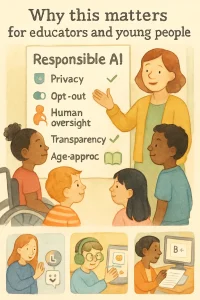
This is the short, practical orientation that connects the big ideas about responsible AI to the choices you make every day: which apps to let students use, how to structure a sexuality ed unit, whether to rely on an AI grading tool, and what privacy settings you require. It’s about making decisions that keep learners healthy, safe, empowered and included — not just technically correct.
Below I’ll walk through:
- the risks you should watch for in classrooms and ed‑tech products,
- what you should aim for instead,
- concrete examples and mini checklists you can use right away,
- short scenarios showing how these choices play out.
Keep in mind: “Responsible AI” isn’t a checkbox. It’s a practice you apply when adopting tools, designing lessons and shaping policy.
Why educators should care (in plain terms)
- Young people’s health and well‑being are sensitive. AI tools that offer health, sexuality or emotional support can shape beliefs, behaviors and relationships. A wrong answer or biased pattern can do real harm.
- Schools are spaces of trust. If tech undermines privacy, safety, or fairness, that trust is broken — and it’s often hardest to repair with kids and families.
- AI is already in many products you might use (grading tools, chatbots, adaptive learning systems). You don’t have to build AI to be affected by it.
- Making thoughtful choices now builds learner agency. Teaching students how systems work and giving them control over their data and choices are core to healthy digital citizenship.
What to watch for (red flags)
Watch for these common problems when evaluating a tool or a classroom use case:
- Privacy violations
- Collects unnecessary personal or biometric data (voice, photos, mental‑health markers).
- Keeps trackers or shares data with third parties without clear consent.
- Misinformation or inappropriate content
- Gives medical/sexual advice without clinical oversight or age‑appropriate framing.
- Produces graphic or sexually explicit content that isn’t suitable for the age group.
- Bias and unfairness
- Performs poorly for certain groups (gender, language learners, races).
- Labels emotions or behaviors in ways that reflect cultural bias.
- Over‑personalization and nudging
- Creates echo chambers by reinforcing the same content or viewpoints.
- Nudges learners toward particular behaviors (buying, voting, certain health choices) without transparency.
- Surveillance and punitive uses
- Monitors students’ private conversations, keystrokes, or emotions and uses that data for discipline.
- Loss of human oversight
- Replaces teacher judgment with fully automated decisions (suspensions, grades, health diagnoses) without appeal.
- Lack of transparency or accountability
- You can’t find documentation about how the model was trained, what data it uses, or who’s responsible if something goes wrong.
What to aim for (green lights)
When choosing products or designing lessons, aim for these principles in practice:
- Privacy-preserving defaults
- Minimal data collection; local processing when possible; clear retention periods.
- Age-appropriate, evidence-based content
- Health and sexuality information is vetted by qualified professionals and aligned to curriculum standards.
- Inclusion and fairness
- Tools have been tested across diverse learners and adapt appropriately.
- Transparency and explainability
- Students and staff can understand how a decision was made and who to contact about errors.
- Human-centered design and human-in-the-loop
- Teachers remain the final authority for disciplinary, diagnostic or sensitive decisions.
- Consent, control, and opt‑out
- Learners/guardians can control data use and choose non‑AI alternatives.
- Ongoing monitoring and responsiveness
- Vendors provide updates, audits, and a clear incident response plan.
Quick, practical checklists
Use these when approving a tool or planning a lesson.
Vendor/product checklist (quick):
- Does the vendor publish a privacy policy in plain language? Y/N
- Does the product collect biometric or highly sensitive data? (voice, photos, health signals) Y/N
- Is there an option to opt out of data collection or to use a local/offline mode? Y/N
- Has the product been tested with learners like yours (age, language, neurodiversity)? Y/N
- Is teacher oversight required for sensitive outputs? Y/N
- Are there clear procedures for reporting errors or harms? Y/N
Classroom-use checklist:
- Is the content age-appropriate and culturally responsive?
- Are students informed about the tool and their rights in simple language?
- Is there a plan for what to do if the tool gives a harmful or incorrect answer?
- Is there a non‑AI alternative available?
- Have guardians (if required) been notified and given choice?
Sample language for students/guardians
You can adapt this for consent forms or an opening slide:
- For students (simple): “This app helps your learning by suggesting practice activities. It collects only your answers and keeps them for 30 days. Your teacher will always check its suggestions and decide what to use. You can stop using it any time.”
- For guardians: “We are piloting an SEL app that uses AI to suggest activities. It does not record audio, stores only anonymized activity data, and has a teacher review step. Please contact [name] with concerns or to opt out.”
Short scenarios and practical responses
- Sexuality ed chatbot gives unsafe advice
- Watch for: definitive medical claims, lack of sources, dismissing consent or cultural norms.
- Aim for: vendor-reviewed content, disclaimers, teacher in the loop, clear escalation to health professionals.
- Immediate action: remove or restrict chatbot use, notify vendor, provide corrected lesson with vetted resources.
- SEL app labels students’ emotions incorrectly (esp. for neurodivergent students)
- Watch for: one‑size‑fits‑all emotion detection; unexpected disciplinary consequences.
- Aim for: human review, opt-out of emotion detection, clear use limitations, tailored options for neurodiversity.
- Immediate action: disable emotion labeling, inform parents/guardians, adjust analytics.
- Automated essay grader penalizes multilingual learners
- Watch for: unfair scoring on grammar and style; opaque scoring criteria.
- Aim for: allow teacher override, provide rubric transparency, use AI as assistant not final grader.
- Immediate action: allow appeals, review grading outputs for bias, pause automatic grading and perform human reviews.
How to use this topic in the rest of the course
- Return to these checklists whenever you evaluate a tool or design a lesson — they’re the baseline.
- Use the scenarios as prompts in workshops with colleagues or students to practice risk assessment and response.
- Later lessons will give sample vendor questionnaires, policy templates and hands‑on activities to teach students how these systems work.
- Treat this as a living practice: collect incidents, review periodically, and update your choices as tools and regulations change.
Quick classroom activities (5–15 minutes)
- Two‑minute risk brainstorm: list what could go wrong with a new app in your classroom. Prioritize top 3 and decide who’s responsible for each.
- Student perspective check: have students write 1 sentence about what they’d want to know before using an AI app at school. Use their answers to design consent language.
- Vendor Q&A roleplay: one teacher plays vendor rep, another is a guardian asking tough privacy questions.
Final thought
Responsible AI for learners is not about blocking progress — it’s about choosing tools that support growth while protecting health, dignity and trust. Small habits (asking the right questions, keeping humans in charge, choosing privacy by default) make a big difference in keeping classrooms safe and empowering young people to thrive. Use the checklists and scenarios above as your everyday toolkit.
If you want, I can turn the checklists into printable one‑page handouts, or draft a short vendor questionnaire you can use right away. Which would be most helpful?
