


Quick overview
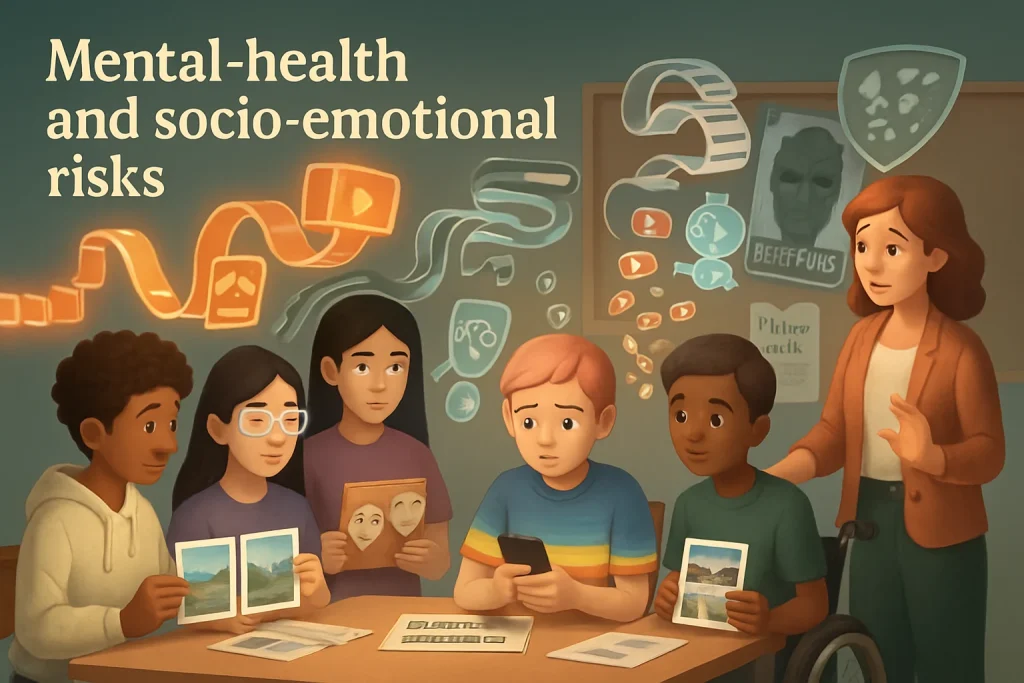
AI features in apps and platforms — from recommendation algorithms to image filters and chatbots — can affect young people’s mental health in real, measurable ways. They can amplify anxiety, worsen body‑image concerns, encourage harmful social comparison, and increase exposure to online violence and harassment. In this topic we’ll look at how those harms happen, what signs to watch for, and practical steps educators, designers and policymakers can take to reduce risk and promote resilience.
Tone: conversational — this is about real kids and real classrooms, not abstract tech. Let’s keep it practical.
How AI features can contribute to risk (what to watch for)
Here are common AI features and the ways they can harm socio‑emotional wellbeing:
-
Recommendation systems and feeds
- Push highly engaging, emotionally charged content (angry, sensational, idealized images) that keeps learners hooked and increases anxiety and social comparison.
- Create “echo chambers” that reinforce negative self‑beliefs (e.g., dieting, disordered behaviors).
-
Personalization and targeted ads
- Tailored content can push beauty/fitness products or risky content based on inferred vulnerabilities (e.g., recommending dieting tips to teens showing body dissatisfaction).
- Ads for adult services or sexual content can surface to underage users if inference is wrong.
-
Image and video filters, AR beautification
- Normalize filtered or unrealistically edited appearances, making “everyday” looks feel inadequate.
- Encourage frequent self‑surveillance and comparison.
-
Generative image/video (deepfakes) and text
- Create fake images of peers or influencers that can be used for shaming, bullying, or harassment.
- Synthetic endorsements normalize unhealthy behaviors or risky norms.
-
Chatbots and conversational agents
- Provide emotionally persuasive responses without appropriate safeguards, possibly encouraging risky choices or giving inappropriate reassurance (e.g., “don’t worry, you’re fine”) instead of signposting help.
- Overreliance on bots can reduce help‑seeking from trusted adults.
-
Automated moderation and content filtering failures
- False negatives expose learners to violent or sexualized content; false positives may censor supportive peer content (e.g., pro‑recovery communities).
- Moderation models can miss context (sarcasm, cultural meanings), leading to harm.
-
Viral loops and reward mechanics powered by AI
- Reinforce behavior that prioritizes likes and attention, linking self‑worth to algorithmic validation and intensifying anxiety.
Mechanisms: Why AI amplifies these risks
- Scale and speed: AI can surface harmful content to thousands quickly.
- Personalization: Models optimize for engagement and will deliver content that keeps a learner watching, often by escalating emotional valence.
- Implicit biases: Training data reflects social prejudices (race, gender, body norms), producing skewed outputs that hurt marginalized youth more.
- Lack of transparency: Learners and educators don’t always know why certain content appears, making it hard to counteract.
- Plausible deniability: Generative content looks real, confusing young people about what’s authentic and what’s staged.
Who’s most at risk
- Adolescents undergoing identity formation and body‑image development.
- Young people who already struggle with anxiety, depression, eating disorders or low self‑esteem.
- Marginalized learners (LGBTQ+, racialized groups, disabled students) who may face targeted harassment or harmful stereotypes.
- Younger children who can’t yet critically evaluate what they see or who may misinterpret AI‑generated content.
Signs to look for in learners
Behavioral and emotional indicators that AI exposure may be affecting a student:
- Increased anxiety, panic, or sleep disturbance linked to device use.
- Preoccupation with appearance, frequent use of filters, or sudden dieting talk.
- Withdrawal from in‑person social activities; preference for online interactions.
- Increased reporting of online harassment, shame, or embarrassment.
- Rapidly shifting peer dynamics (rumors, fake images, deepfake bullying).
- Academic decline or missed deadlines tied to time on platforms.
- Avoidance of seeking help due to shame or fear of visibility online.
Tip: these signs are not definitive proof of AI harm, but they’re good triggers for further conversation and support.
Practical classroom strategies (for educators)
Build digital wellbeing into everyday practice — not as a one‑off lecture.
-
Normalize discussion
- Start low‑stakes conversations about how platforms surface content: “Has an algorithm ever made you feel bad about yourself? Tell me about it.”
- Use real, age‑appropriate examples and allow students to anonymize stories.
-
Teach media and AI literacy
- Short lessons on how recommendation systems and filters work.
- Demonstrations: compare an unfiltered photo, a filtered one, and AI‑generated images. Ask students to spot differences and discuss feelings.
-
Integrate into Social‑Emotional Learning (SEL)
- When teaching empathy, include modules on digital empathy and the emotional impact of sharing images or jokes online.
- Role‑play: responding to a peer who shares a hurtful image.
-
Promote critical self‑reflection
- Encourage journaling prompts: “How did that post make me feel? Why did I keep scrolling?”
- Use a “pause and ask” routine before posting or reacting online (Is it true? Is it kind? Is it helpful?).
-
Provide coping skills and signposting
- Teach grounding techniques for anxiety triggered by online content.
- Share clear, confidential routes for reporting harassment and getting help in‑school.
-
Classroom use of AI tools — do it carefully
- Evaluate any AI tool before introducing it (see checklist below).
- Use tools in supervised, scaffolded ways — e.g., try them together, debrief outputs, and discuss limitations.
-
Engage families
- Offer short, practical guides for parents about platform features and conversation starters.
- Host workshops that model talking to kids about body image and online pressures.
Activity idea (15–30 min): “Filter Detective”
- Students work in pairs. Teacher shows a set of images (some filtered, some natural, some AI‑generated). Pairs discuss cues that suggest editing and reflect on how each image might affect someone’s self‑image. Finish with a class list of “healthy image habits.”
Design and product practice (for developers and instructional designers)
Design choices can prevent or reduce harm. Consider these practical measures:
-
Age‑appropriate defaults
- For under‑13 or younger teens, default to stricter content filters, no public discovery, and disable beautification filters unless parent/guardian consent and education are provided.
-
Transparent personalization
- Explain in plain language why content is shown (“You’re seeing this because you viewed X”) and allow users to reset or tune preferences easily.
-
Safe filters and graduated exposure
- Implement tiered content exposure for potentially triggering topics (e.g., mental‑health, body image) with contextual warnings and support resources.
-
Responsible generative features
- Restrict image generation that edits or transforms images of real people (e.g., faces of minors) and add watermarking to synthetic content.
-
Human‑in‑the‑loop moderation
- Combine automated detection with human review, especially for sensitive categories (sexual content, harassment).
-
Avoid optimizing solely for “engagement”
- Use multi‑objective optimization that includes wellbeing metrics (time spent feeling good, return to learning) not only clicks.
-
Design for reporting and support
- Easy, anonymous reporting flows; rapid response for harassment and clear escalation for severe threats.
-
Inclusive training data and evaluation
- Test models for disparate impact on gender, race, body types, disability representation.
Quick developer checklist
- Does the tool explain recommendations? Y/N
- Are beautification filters disabled by default for minors? Y/N
- Is there a safe fallback when a model is unsure? Y/N
- Do outputs include watermarks for generated media? Y/N
- Are moderation thresholds tested for marginalized users? Y/N
Policy & procurement considerations (for administrators and policymakers)
When selecting or regulating AI tools used by learners, include these clauses and checks:
-
Require vendors to provide:
- Evidence of safety testing with youth populations.
- Transparency over personalization features and training data provenance.
- Mechanisms for parental controls and school overrides.
- Rapid incident response and data breach notification plans.
-
Contract language examples
- “Vendor must disable facial beautification/AR filters by default for accounts declared for users under 18.”
- “Vendor shall provide logs of content moderation decisions and an appeals process to the district.”
-
School policies
- Clear guidelines for acceptable platform use, reporting processes, and staff responsibilities.
- Mandatory staff training on digital harms and response protocols.
-
Monitoring and evaluation
- Ongoing audits of tools for wellbeing outcomes (surveys, incident reports, usage patterns).
- Include student and family voices in procurement decisions.
Special considerations for equity and inclusion
- Marginalized youth often experience disproportionate harms (stereotyping, harassment). Make extra provisions:
- Engage those communities in testing and design feedback.
- Provide culturally relevant mental‑health resources and moderators with cultural competence.
- Beware of moderation that silences minority speech by misclassifying dialects or reclaimed language.
Quick risk assessment tool (for a classroom or product)
Ask these questions before adopting or using an AI feature with learners:
- Who is the intended user? Are minors involved?
- What kinds of content could the feature surface or create?
- Could content be personalized in ways that exploit vulnerabilities?
- Are there default settings that could increase risk (public visibility, filters on)?
- What reporting, escalation and human support options exist?
- Has the tool been tested with relevant age groups and demographics?
- How will you monitor emotional and behavioral impacts over time?
If you answer “no” or “unsure” to any, consider delaying adoption, adding safeguards, or choosing a different tool.
Monitoring impact: simple metrics to track
- Number and type of reported online incidents (harassment, image misuse).
- Self‑reported wellbeing surveys (pre/post tool introduction).
- Time‑on‑tool and patterns of late‑night engagement.
- Number of students using filters or generative features and frequency.
- Escalations to counseling following online incidents.
Combine quantitative metrics with qualitative feedback from students and families.
Classroom-ready activities and discussion prompts
-
“Algorithm Autopsy” (40–60 min)
- Students map how a single post can travel through an algorithmic system: ingestion, ranking, recommendation, virality. Identify harm points and suggest redesigns that prioritize wellbeing.
-
“What’s Real?” workshop (30–45 min)
- Show examples of images and chatbot outputs. Students annotate what’s real, what’s edited, and how they felt seeing it. Conclude with strategies to check authenticity.
-
“Design a Safer App” (project, 1–2 weeks)
- Small teams design an app feature that reduces social comparison (e.g., algorithm that promotes supportive comments). Deliverables: wireframe, safety features list, and testing plan.
-
Family conversation starter kit
- Short scripts: “I saw an ad today that made me feel bad about my body. Can we talk about that?” Role‑play with caregivers.
Discussion prompts
- “When did a post make you feel jealous or inadequate? Where did that post come from — a person, a filter, or both?”
- “Should an app be allowed to edit our faces? What would rules look like if you were in charge?”
Sample classroom policy language (short)
- “Students will not share or edit images of other students without explicit consent. Any AI‑generated image or deepfake must be labeled clearly, and sharing of manipulated images intended to shame or harass is forbidden and will be sanctioned.”
Responding to incidents (quick guide)
- Validate the student’s feelings and ensure immediate safety.
- Preserve evidence (screenshots, links) and report to platform and school IT.
- Offer counseling or SEL support and check‑in schedule.
- Follow school reporting protocols and involve parents/guardians as appropriate.
- Review what happened with the class (without identifying victims) to support community learning.
Helpful resources and further reading
- Look for youth‑centred digital wellbeing toolkits from child protection NGOs and educational psychology groups.
- Academic and policy briefings about algorithmic harms to youth (search for youth + AI + wellbeing).
- Vendor documentation on transparency, safety testing, and moderation protocols before procurement.
Final note (practical mindset)
Think of AI in education the way you’d think about playground equipment: it can enable great play and learning but needs supervision, safety checks, accessible exits, and rules so everyone stays safe. Use classroom routines, design principles and policy levers together — and always center students’ voices and lived experiences when judging whether a tool is helping or harming their wellbeing.
