

Balancing safety, autonomy and non‑surveillance approaches

Jukka 5.9.2025
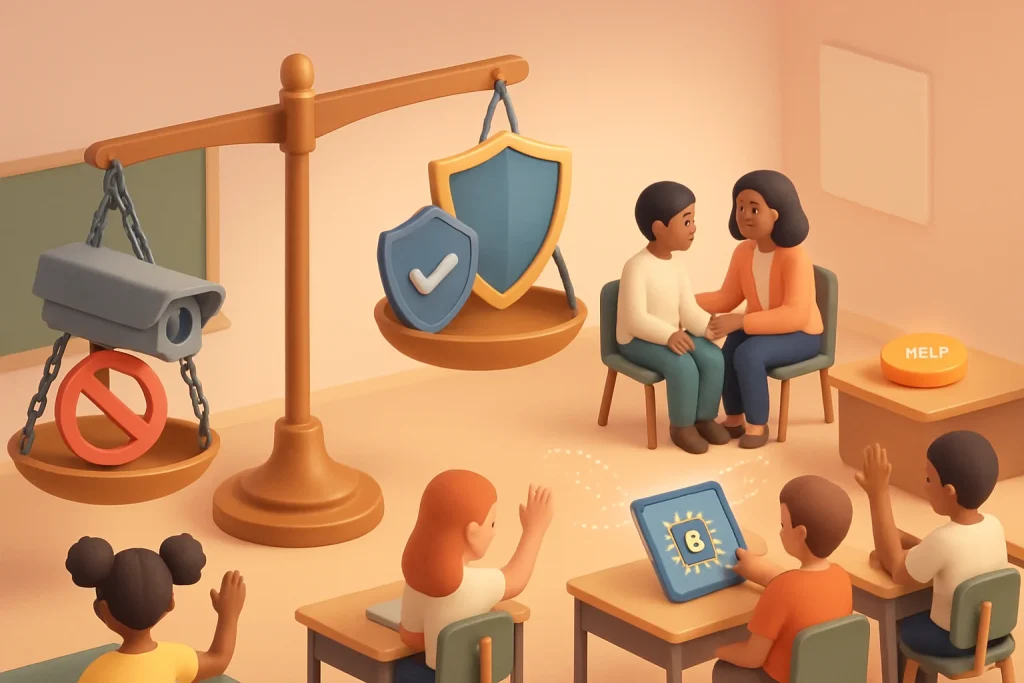
This topic shows how to protect young people without turning classrooms or educational products into surveillance ecosystems. We’ll look at why surveillance is harmful, concrete design and policy strategies that center autonomy and dignity, technical approaches that reduce data exposure, classroom practices that build trust, and quick tools you can use to assess and change current practices.
Remember: safety is a goal, not an excuse to monitor everything. Safer systems can — and should — respect young people’s agency, privacy and developmental needs.
Why surveillance is a problem (short version)
- Surveillance chills learning: students avoid asking sensitive questions or exploring topics like sexuality or mental health if they think they’re being monitored.
- Power imbalance: constant monitoring reinforces adult control and reduces young people’s autonomy and dignity.
- Data harms: collected data can be misused, leaked, or used for discipline, discrimination, or profiling later.
- Inequity: automated surveillance systems often encode bias and disproportionately affect marginalized students.
So: we need safety without turning learning spaces into data-harvesting environments.
Overarching principles to follow
- Minimize: collect only what’s strictly necessary.
- Localize: keep sensitive processing on-device or in the classroom when possible.
- Escalate carefully: prefer human review and contextual judgment for interventions.
- Explain & consent: make purposes clear, age‑appropriate and reversible.
- Empower: let young people control their data and choose participation where reasonable.
- Design for dignity: focus on support, not surveillance or punishment.
Concrete design strategies (what to do)
-
Data minimization and purpose limitation
- Ask: Do we need this data to keep someone safe, or just to monitor behavior? If not necessary, don’t collect it.
- Use aggregated or derived signals instead of raw behavioral logs (e.g., trend flags rather than keystroke/time-stamped histories).
-
On‑device and ephemeral processing
- Run sentiment detection or risk-scoring locally and surface only curated, minimal alerts to adults.
- Use ephemeral logs that auto-delete after they’ve served a safety function.
-
Privacy‑preserving analytics
- Prefer aggregated dashboards and anonymized trends for curriculum or SEL evaluation.
- Explore differential privacy, secure aggregation or federated learning when model training is needed across many devices.
-
Tiered intervention and human-in-the-loop
- Automations should triage and recommend, not decide. E.g., flag an ambiguous message for a trained professional to review — don’t trigger automatic disciplinary measures.
- Define low-, medium-, and high-risk thresholds and corresponding human responses.
-
Consent, transparency and age‑appropriate notices
- Use plain-language, developmentally-appropriate explanations about what’s collected, why and how long it’s kept.
- Offer granular opt-outs for non-essential features (e.g., analytics, personalization).
- Build reversible choices — let students withdraw consent and erase data when reasonable.
-
Contextual & culturally aware design
- Avoid one-size-fits-all risk models. Co-design risk criteria with youth and cultural experts to avoid mislabeling behaviors.
-
Alternatives to monitoring for safety
- Build robust help-seeking paths (anonymous reporting, “ask for help” buttons, restorative circles).
- Teach digital literacy, consent, coping skills and peer support — these reduce harms without surveillance.
- Environmental design: private spaces, clear boundaries, and supports for discussing sensitive topics.
-
Role-based access & least privilege
- Limit who can see safety-relevant information; log access and require justification.
- Differentiate between teachers’ curricular needs and counselors’ confidential needs.
-
Fail-safe and escalation protocols
- Define what will happen if an automated system signals risk: who is notified, within what time, and with what information.
- Include a review path and appeal for young people affected by interventions.
Technical patterns (practical, not just jargon)
- On-device inference: run models locally so raw data never leaves the device.
- Secure aggregation: combine signals across users such that individual contributions can’t be reverse-engineered.
- Ephemeral identifiers: avoid persistent personal IDs; use session-based tokens.
- Redaction/minimization: redact or hash PII before any server-side processing.
- Differential privacy for analytics: add noise to protect individuals when generating insights.
- Federated learning for model improvement: send model updates (not raw data) to servers for aggregation.
Note: These techniques reduce risk but don’t eliminate it. Governance and human oversight remain critical.
Policy and procurement guidance (for leaders & decision makers)
- Require privacy impact and equity impact assessments for any tool that touches young people.
- Specify minimal data sets and retention periods in contracts.
- Mandate human review of any automated safety decision and prohibit automated discipline.
- Include student and caregiver voice in procurement decisions.
- Require vendor transparency about model behavior, error rates, and known biases.
Classroom & program practices (what teachers and designers can implement)
- Establish clear boundaries: make a class policy that online activity won’t be monitored beyond what’s necessary and explain exceptions (e.g., imminent harm).
- Teach with transparency: before using any tool, explain what it does and why. Practice consent conversations.
- Provide multiple ways to ask for help: private messages to counselors, anonymous boxes, scheduled check-ins.
- Normalize support-seeking: integrate SEL and help-seeking into lesson plans so students don’t feel singled out.
- Train staff in trauma-informed response and privacy-respecting de-escalation.
Sample scenarios and safer alternatives
Scenario A — Automated keyword alert in chat:
- Surveillance approach: scan all student chats for “self-harm” keywords and automatically notify administrators with full chat logs.
- Non‑surveillance alternative: run keyword detection locally; when a potential issue appears, show the student a private, supportive message with resources and an option to request help. Only if the student indicates imminent danger or explicitly requests help does a trained counselor receive a minimal, contextualized alert.
Scenario B — Location tracking for “safety”:
- Surveillance approach: continuous GPS tracking of students during school activities.
- Non‑surveillance alternative: check‑in system before/after trips, staff location sharing during trips (opt-in), and clear emergency protocols. Use proximity-only signals for headcounts rather than continuous tracking.
Scenario C — Behavioral dashboards for discipline:
- Surveillance approach: dashboards showing “risk scores” for each student used by administrators to target discipline.
- Non‑surveillance alternative: aggregate behavioral trends for classroom planning. If a student’s pattern suggests a need for support, require counselor-led assessment and consented family engagement before any intervention.
Activities you can do with your team or students
-
Surveillance Hotspot Mapping (30–60 min)
- Identify tools, sensors, logs or practices in your school that gather data (cameras, LMS logs, keystroke monitoring, chat moderation).
- For each, note purpose, data collected, who sees it, retention and alternatives.
- Decide on one thing to reduce or redesign this week.
-
Co‑design session with learners (60–90 min)
- Bring a small group of students to map what makes them feel safe and what makes them feel monitored.
- Co-create consent language, safety flows and help-seeking options that feel dignified.
-
Risk Escalation Role‑Play (45–60 min)
- Role-play different alert scenarios (false positives, ambiguous cases, clear harm) and practice human-centered response protocols.
-
Tool Audit Checklist (ongoing)
- For each edtech vendor, answer: Is data minimized? Is processing local? Who can access alerts? What is retention? Is human review required? Is there a transparent consent flow?
Quick decision checklist (use before adopting or building any tool)
- Is the feature necessary for safety or learning outcomes?
- Can the goal be met without collecting personal data?
- Can processing be done on-device or anonymized?
- Who will see the data and why? Is access limited by role?
- Is there a clear, age-appropriate consent and opt-out path?
- Will automated outputs be used to make consequential decisions without human review?
- Have students, families and counselors been consulted?
- Are retention and deletion policies explicit and short?
- Is there an appeal or review mechanism for affected young people?
- Was an equity/privacy impact assessment completed?
If you answer “no” or “uncertain” to any critical question, pause and redesign.
Measuring success — outcomes and indicators
- Lower opt-out rates when students feel respected (context-dependent).
- Higher help-seeking through confidential channels (not mandatory reporting).
- Reduction in disciplinary actions traced to automated flags.
- Student-reported sense of trust and autonomy (via surveys).
- Shorter raw data retention; fewer access events to sensitive data.
- Fewer false-positive escalations and faster human response times when required.
Use both quantitative metrics and qualitative feedback from students and staff.
Sample plain-language notice (adapt for age)
“We use this tool to help keep everyone safe and to improve learning. It does not record everything you say or do. Some features analyze what you write only on your device to spot serious safety concerns. If you want help, you can ask privately or use an anonymous report. You can also turn off [optional feature] in Settings. If an urgent safety issue is detected, a counselor (not an administrator) will be contacted and only the information needed to help will be shared.”
Red flags — when surveillance is being used as a shortcut
- Data is collected “just in case” without clear purpose.
- Alerts go straight to administrators or law enforcement without clinician review.
- Students can’t opt out of non-essential tracking.
- Tools are used primarily for control or behavior management rather than support.
- Vendors claim “we need everything to keep kids safe” without documentation or impact assessments.
If you see these, stop and reassess.
Final thought
Safety and autonomy aren’t opposites — they’re partners. Systems that respect young people’s dignity build trust, which in turn makes them safer. Prioritize minimal, contextual, human-centered approaches, and test safety solutions with the young people they affect. Small design choices (ephemeral logs, opt-in help, human review, clear consent) add up fast.
If you want, I can:
- Draft a one‑page consent/notice template for your school age group.
- Create a short audit checklist you can print and use tomorrow.
- Design a 60‑minute workshop script to run the co‑design session with students. Which would help most?
