

AI‑amplified harms: harassment, misinformation, surveillance and privacy threats

Jukka 5.9.2025
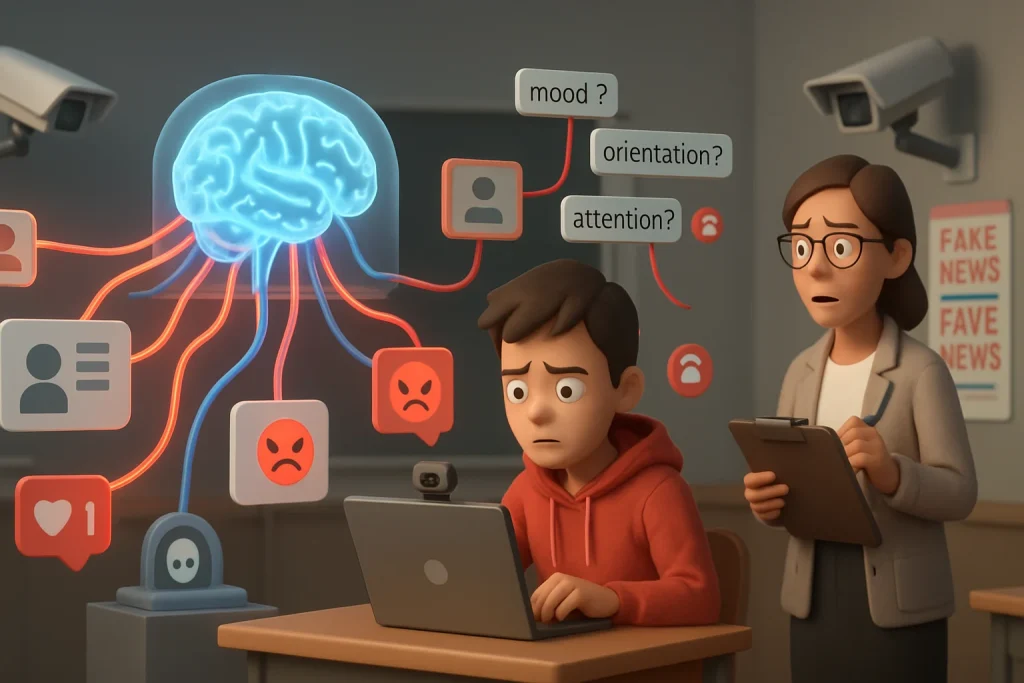
Short version: AI doesn’t just make things smarter — it can scale harms. When systems optimize for engagement, prediction, or automation without safeguards, they can magnify harassment, spread misleading or harmful content, and enable invasive monitoring. Below I explain how that happens, give concrete examples that affect young people, list what to watch for in products and platforms, and offer practical steps educators, designers and policymakers can take.
How AI magnifies harms (what’s actually happening)
1. Harassment and abuse — amplified, automated, personalized
- Recommendation and amplification loops: Algorithms that promote “engaging” content can surface harassing posts because outrage and conflict drive clicks and reactions. That means bullying spreads faster and stays visible longer.
- Automation and scalability: Bots and AI-generated accounts can flood an individual with abuse (doxxing, coordinated harassment) far beyond what a few humans could do.
- Personalization and microtargeting: AI can discover vulnerabilities (e.g., topics a student cares about or a privacy setting they use) and target messages that are especially hurtful or manipulative.
- Synthetic content for harassment: Deepfake images, audio clips, or manipulated messages can be created easily to shame or coerce young people.
- Example: A student posts a private photo. An AI-enabled platform’s search and recommendation features surface it to many peers; bots repost it, and the content is then auto‑translated, remixed, and amplified widely.
2. Misinformation and harmful content — faster and more believable
- Generation at scale: Large language and image models can produce plausible but false information, harmful instructions (including on self-harm or unsafe sexual practices), or trust‑eroding rumors in seconds.
- Personalization of falsehoods: Targeted misinformation tailored to a user’s beliefs or emotional triggers is more convincing and spreads faster.
- Evading moderation: AI can rephrase or modify content to bypass keyword filters and automated moderation.
- Example: During a health scare or a new sexual health trend, an AI bot generates convincing “how-to” guides based on bad sources; students share them, believing they are legit.
3. Surveillance & privacy threats — invasive inferences and continuous monitoring
- Inference of sensitive attributes: AI models can predict things like mental health status, sexual orientation, or abuse risk from subtle signals (text, keystrokes, camera images) — often inaccurately and without consent.
- Continuous, background collection: Devices and apps can collect audio, video, location, biometric, and interaction data continuously; AI extracts insights that are then used in ways learners didn’t anticipate.
- Third‑party data sharing: Collected data may be sold or shared with advertisers, data brokers, or law enforcement, multiplying privacy risks.
- Function creep: Features intended for “safety” (e.g., emotion detection to flag distress) get repurposed for discipline, profiling, or surveillance.
- Example: A classroom platform tracks keystroke rhythms and webcam posture to “measure engagement”; the vendor later uses that data to infer attention or mental health, shared with third parties.
What to watch for in products and platforms — practical checklist & red flags
Use this when vetting apps, platforms, AI features, or choosing classroom tools.
-
Data practices and scope
- What exact data is collected? (text, images, audio, video, metadata, location)
- Is sensitive data inferred (gender, sexual orientation, mental health, socioeconomic status)?
- Default settings: Is data collection opt‑in or opt‑out? Defaults matter.
- Retention policy: How long is data stored? Is deletion easy and verifiable?
-
Model transparency and provenance
- Does the vendor document the model (model card) and training data sources?
- Are there known limitations, biases, or failure modes described?
- Can outputs be traced back to sources (provenance or watermarking)?
-
Personalization and recommender behavior
- How does the system personalize content? What signals are used?
- Are engagement‑driven metrics (time on site, clicks) used to optimize feeds?
- Can teachers/administrators limit or turn off recommendations?
-
Moderation and safety
- What human moderation exists? Is it reviewed by trained staff?
- Are safety filters documented and adaptive to circumvention?
- Are there age‑appropriate content controls and escalation pathways?
-
Surveillance and monitoring features
- Are cameras/microphones used for ongoing monitoring or inference?
- Are biometric or facial recognition features present? If so, can they be disabled?
- Is data used for disciplinary action, profiling, or to generate automated interventions without consent?
-
Third parties & sharing
- Who has access to the data (contractors, partners, advertisers)?
- Are there clear contracts restricting use for marketing, profiling, or resale?
-
Accountability and incident response
- Is there a clear incident response plan for data breaches or abusive amplification?
- Are audit logs available? Can outputs be audited or appealed?
Red flags — immediate showstoppers
- Hidden or overly broad data collection by default (especially audio/video).
- Use of facial recognition or other biometrics with students.
- Lack of human oversight on content moderation or disciplinary actions.
- Opt-out only for minors (instead of opt-in) or deliberately obscure privacy settings.
- Vendor refuses to share basic model information or to sign data protection agreements.
Practical mitigations — what educators, designers and policymakers can do
Short-term classroom-level actions (what teachers can adopt now)
- Turn off nonessential features: Disable recommendations, sharing, or recording features if not necessary for learning.
- Set clear boundaries: No webcams on by default; device‑free spaces/times; explicit consent for any recording.
- Teach digital literacy: Run lessons on how AI can generate content (deepfakes, manipulative ads), how to spot misinformation, and how to respond to harassment.
- Provide safe reporting: Simple, anonymous ways for students to report harassment or privacy concerns; clear follow‑up processes.
- Trauma‑informed response: When harassment or deepfakes occur, prioritize emotional support, confidentiality, and avoid retraumatizing public responses.
Design and product decisions (for designers and vendors)
- Privacy‑by‑default and minimal data: Collect only what is essential; default to minimal collection and local processing when feasible.
- No inferences of sensitive attributes: Prohibit models from inferring sexual orientation, gender identity, mental health, or abuse status unless there is explicit, informed consent and human oversight.
- Human-in-the-loop moderation: Use AI to triage but keep humans for judgment calls, especially for youth content.
- Robust red teaming and adversarial testing: Simulate attacks, harassment campaigns, and ways moderation can be bypassed.
- Transparent model docs: Publish model cards, data sheets and safety testing summaries, and explain personalization in plain language.
- Granular controls for educators and parents: Allow turning off personalization and data sharing; provide export/deletion tools for students.
Policy and procurement (for decision‑makers and policymakers)
- Procure only tools that meet child‑specific privacy standards (e.g., data minimization, no ad targeting, clear retention limits).
- Require transparency and independent audits: Vendors should allow third‑party safety and privacy audits.
- Ban or strictly regulate biometric identification in educational settings.
- Mandate explainable opt‑in consent processes for any inference or profiling that affects students.
- Fund digital literacy and incident response capacity in schools.
Quick classroom activities & conversation starters
-
Deepfake detective (ages 13+)
- Show students two short videos (one real, one deepfake). Ask them to list signals that raised doubt, and discuss emotional impact. Emphasize why context and provenance matter.
-
Spot the bias (ages 14+)
- Give short excerpts generated by an AI chatbot with mixed accuracy. Students identify claims that need verification and suggest reliable sources.
-
“What would you want to know?” (all ages)
- Small groups create a privacy checklist they’d want when a new app is used in class. Compare with vendor terms and discuss differences.
-
Reporting practice (all ages)
- Roleplay reporting harassment to a school moderator or vendor. Practice supportive language and escalation steps.
Incident response: if AI‑amplified harm occurs
- Safety first: Check on the learner(s) — physical and emotional safety take priority.
- Contain: Remove or limit access to the harmful content if possible (take down, disable comments, pause sharing).
- Preserve evidence: Screenshot, capture URLs, metadata — for investigations and possible legal action.
- Notify: Inform school leadership, parents/guardians as appropriate, and the platform/vendor with precise incident details.
- Support: Offer counseling, peer support and accommodations to affected students.
- Learn: Run a post‑incident review — what allowed amplification? Update policies, vendor choices, and classroom practices.
Tool‑vetting prompts you can ask a vendor (copy & use)
- Exactly what student data do you collect, store, and process? How long is it retained?
- Do you use student data to train or update models? If so, can schools opt out?
- Do any features infer sensitive attributes (mental health, sexual orientation, etc.)? If yes, what safeguards exist?
- How does your recommender system prioritize content? What controls do educators have?
- Do you use facial recognition, biometric analysis, or continuous audio/video monitoring? If yes, can those be disabled?
- What human moderation and escalation processes exist for harassment and misuse?
- Are you willing to permit an independent third‑party audit of privacy and safety practices?
Quick checklist for deciding “Is this safe enough?”
- Minimal collection by default? Yes / No
- No biometric/facial recognition for students? Yes / No
- Clear human moderation + escalation? Yes / No
- Ability to disable personalization/recording? Yes / No
- Transparent model info & willingness to audit? Yes / No
If you have any “No” answers, proceed with caution or consider alternatives.
Final takeaways
- AI can worsen already‑existing harms by making them faster, more convincing, and harder to control — especially for young people.
- The best defenses combine product design (privacy-by-default, human oversight), classroom practices (boundaries, digital literacy), and policy safeguards (transparency, audits, limits on biometric profiling).
- You don’t need to ban all AI tools to be safe — but you should interrogate defaults, require consent and transparency, and build supports for learners so they’re protected and empowered when harms occur.
If you want, I can turn the vendor questions into a printable checklist, draft a parent/guardian consent form that addresses AI in tools, or create a 30‑minute lesson plan you can run with students to build awareness. Which would be most useful?
