


Lesson Progress
0% Complete
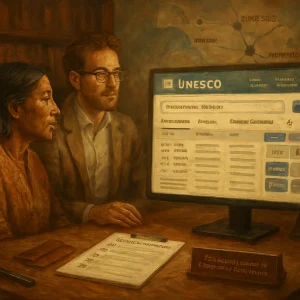
Purpose
- Provide a systematic orientation to the UNESCO e‑Platform so participants can locate, evaluate and retrieve evidence‑based materials and policy documents relevant to intercultural dialogue.
- Demonstrate practical search techniques, use of curated collections and methods for assessing the quality and relevance of items for research, teaching and policy practice.
Overview of the e‑Platform
- Function: A global hub for knowledge sharing, networking and learning about best practices in intercultural dialogue. It aggregates scholarly articles, UNESCO publications, policy documents and curated case studies.
- Maintainers and provenance: The site is maintained by the UNESCO Chair for Cultural Diversity and Social Justice at Deakin University with contributions from the UNITWIN/IDIU Network and other experts. This provenance supports the platform’s reliability for policy and practice use.
- Typical navigation elements: top menu (About, Welcome, UNITWIN/IDIU Network, Resources, Network News), curated collections, scholarly bibliography, publication lists and case study repositories. The platform acknowledges Traditional Custodians and reflects inclusion commitments in its materials.
Step‑by‑step: Accessing and Orienting Yourself
-
Access the platform
- Follow the UNESCO link or the Deakin UNESCO Chair resource page to the e‑Platform entry point.
- Note any bilingual options (English/French) and the “About” pages for context on scope and contributors (e.g., Interculturalism at the Crossroads / L’interculturalisme à la croisée des chemins).
-
Locate main resource types
- Scholarly bibliography: large, searchable index of articles and chapters.
- Publications list: UNESCO reports and volumes (e.g., Interculturalism at the Crossroads).
- Curated collections and case studies: examples of best practice and implementation.
- Policy and guidance documents: UNESCO and partner outputs for policymakers and practitioners.
Using the search interface effectively
- Basic search box: enter keywords or phrases (e.g., intercultural dialogue, interculturalism, diversity governance).
- Interpreting result lists: the bibliography display may show columns such as Year, Authors/Editors, Title, Journal and navigation controls (e.g., “Showing 1 to 10 of 601 entries” or larger corpora like 29,244 records).
- Filters and sorting: use available filters where provided (year, author, journal, language, region) to narrow results.
- Pagination: large indexes are paginated; refine search to reduce result size for efficient review.
- Exporting results: options such as Print, Excel, CSV or Copy enable batch export of bibliographic records for reference management or analysis.
Search strategies and examples
- Phrase search: "intercultural dialogue" to find core literature.
- Boolean operators:
- AND to narrow: intercultural dialogue AND policy
- OR to broaden: interculturalism OR multiculturalism
- NOT to exclude: intercultural dialogue NOT tourism
- Fielded search (if available): restrict search to title, author, year or journal.
- Date range: limit by year to get recent research (e.g., 2018–2024).
- Language filters: apply to locate English or French materials (important because the platform includes bilingual outputs such as L’interculturalisme à la croisée des chemins).
- Example query for policy work: intercultural dialogue AND "policy" AND (case study OR evaluation) AND 2015..2024
Working with curated collections and case studies
- Curated collections: pre‑selected sets that organize material by theme (e.g., inclusion, reconciliation, inter‑religious dialogue). Use these when seeking tested approaches and synthesized lessons.
- Case study records: typically include background, objectives, methods, outcomes and lessons learned. Look for explicit indicators of evaluation (indicators, baseline/follow‑up measures, stakeholder feedback).
- Triangulate: cross‑check case study findings with peer‑reviewed literature and UNESCO guidance to corroborate claims.
Assessing evidence quality
- Prefer peer‑reviewed publications and UNESCO policy documents for high‑trust guidance.
- For each item ask:
- Authority: Who are the authors? Is the work affiliated with reputable institutions (e.g., IDIU Network members, UNESCO Chairs)?
- Methodology: Are methods and data sources described and appropriate to claims (qualitative methods, quantitative measures, mixed methods)?
- Context: Is the geographic, cultural and temporal context similar to your setting? Beware of direct transfer without adaptation.
- Rigor: Are sample sizes, evaluation design and limitations reported?
- Relevance: Does the item address the specific policy or practice question you have?
- For grey literature (reports, project briefs), check for references, appendices, monitoring and evaluation data and whether findings have been validated externally.
Retrieving and citing materials
- Downloading: use provided PDF links or the publication record to obtain full texts where available.
- Exporting citations: use Print / Excel / CSV functionality to export bibliographic metadata for import into reference managers (EndNote, Zotero, Mendeley).
- Citing UNESCO materials: follow standard citation formats and include the platform URL and access date if the document is hosted on the e‑Platform.
Integrating e‑Platform resources with other institutional resources
- Complement e‑Platform content with:
- The UNESCO publications list (e.g., the bilingual volume Interculturalism at the Crossroads).
- Outputs from the Deakin UNESCO Chair and IDIU Network members.
- Peer‑reviewed journals listed in the platform’s bibliography (e.g., Intercultural Education, International Migration).
- Use the platform’s network news and UNITWIN/IDIU pages to identify experts and potential collaborators for applied projects.
Ethical and cultural considerations
- Respect and acknowledge local knowledge and Traditional Custodians, as modelled by the Deakin UNESCO Chair’s acknowledgements.
- When applying case studies across contexts, obtain local consent and adapt interventions to respect cultural dignity and local governance.
Practical exercises (recommended)
-
Quick search (15–20 minutes)
- Task: Use the e‑Platform search to find:
- One UNESCO policy document on intercultural dialogue
- Two peer‑reviewed articles published after 2019
- One best‑practice case study with evaluation data
- Record: bibliographic details, URL, a one‑sentence summary of evidence quality and relevance.
- Task: Use the e‑Platform search to find:
-
Evaluation checklist (30–45 minutes)
- Choose one case study and one peer‑reviewed article. Complete a short checklist:
- Authors/affiliations; publication year; methods; sample/context; main findings; limitations; applicability to your context.
- Choose one case study and one peer‑reviewed article. Complete a short checklist:
-
Export and manage references (10 minutes)
- Export a small set of records (CSV/Excel), import into a reference manager, and generate a reference list in a chosen citation style.
Tips and best practices
- Start broad, then narrow: begin with phrase searches and use filters to reduce scope.
- Triangulate sources: corroborate case studies with scholarly literature and UNESCO guidance.
- Track provenance: prefer items linked to the IDIU Network, UNESCO Chairs or peer‑reviewed journals when making policy recommendations.
- Keep language flexibility: search in English and French where appropriate to capture bilingual outputs.
- Use export features early: maintain a personal bibliography to avoid repeating searches.
Support and further assistance
- Consult the platform’s “About” and UNITWIN/IDIU Network pages to understand contributor roles and governance.
- Contact details on the Deakin UNESCO Chair site (e.g., phone number or email) may provide assistance for complex enquiries or permissions.
Conclusion
- The UNESCO e‑Platform is a comprehensive resource for evidence‑based materials on intercultural dialogue. Systematic search strategies, critical appraisal of evidence quality and deliberate use of curated collections and exports will enable effective retrieval and application of resources for research, teaching and policy work.
